
For working in Financial Leasing App you need to be well-versed in this space. The video below describes basic functions situated on Dashboard that you will use and also main setting (e. g. Role, Work Date, Region, Language).
-
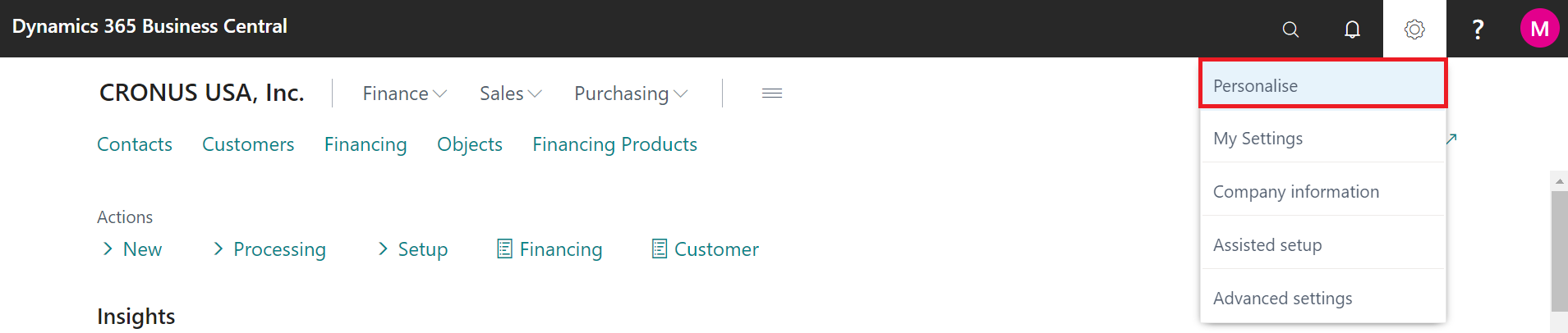
It's important to know, that you can set up the design of dashboard according to your requirements by clicking on the button Personalise.
-
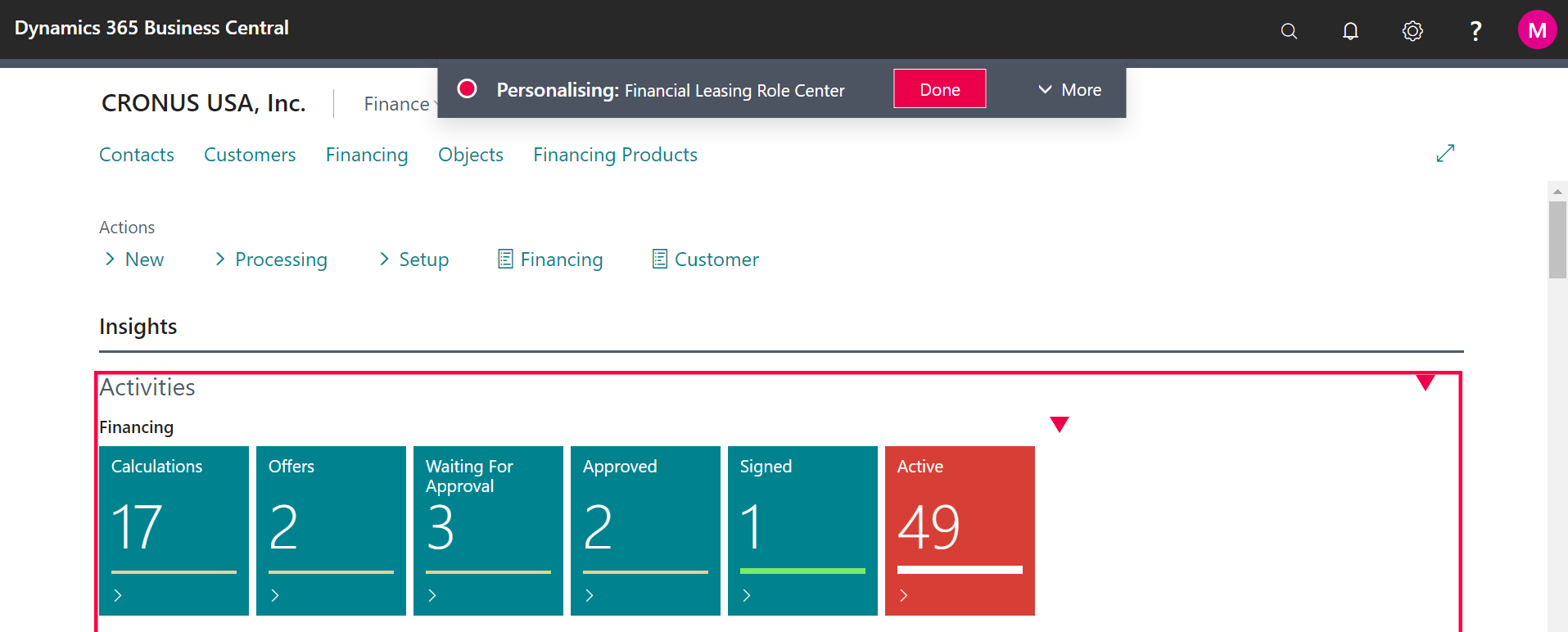
By clicking and moving red triangles you can situated field anywhere you want.
-
After finishing your changes, click on button Done.
Follow up:
How to do basic setup of OneCore Financial Leasing App