
Abs and Rel change
In Loans App you have ability to change absolute and relative values of individual installments manually via Financing Contract/Home/Calculator Lines. After opening the page, we have buttons in upper part of the screen:
-
Update
-
This button recalculates changes done within calculator lines (e.g. in Abs, Rel, etc.)
-
After updating lines are new values visible in Calculator Lines/Lines
-
-
New Calculation
-
This button forgets manually entered values
-
New Calculation button resets Abs and Rel into the DEFAULT values
-
-
Mass Change Abs Rel
-
Simple wizard to change multiple installments (e.g. from installment 1 to installment 6 will be abs value 0)
-
Clicking on Finish button (3rd step of the Wizard) save changes and recalculate Payment Calendar
-
-
Finish
-
If the result (seen in lines after Update) meets user expectation, changes can be transferred into the Payment Calendar by pressing the Finish button.
-
This action also recalculates the Payment Calendar
-
General fast tab
-
Contract No.
-
Information coming from Financing Card
-
-
Part Payment Due Date
-
Information coming from Financing Card
-
-
Principal Amount
-
Information coming from Financing Card
-
-
Financing Rate - Total
-
Information coming from Financing Card
-
-
Customer Name
-
Information coming from Financing Card
-
-
No. of Payments
-
Information coming from Financing Card
-
Calculator Lines
In lower part of the screen are placed Lines, where is possible to enter desired values in order to create. We are allowed to modify only lines which are not posted yet.
-
Changing Abs value adjusts the annuity amount by the value entered in the abs column
-
Changing Rel value adjust the annuity amount following
-
entering 0, anuity will be 0
-
entering 2, anuity will be doubled
-
Example:
-
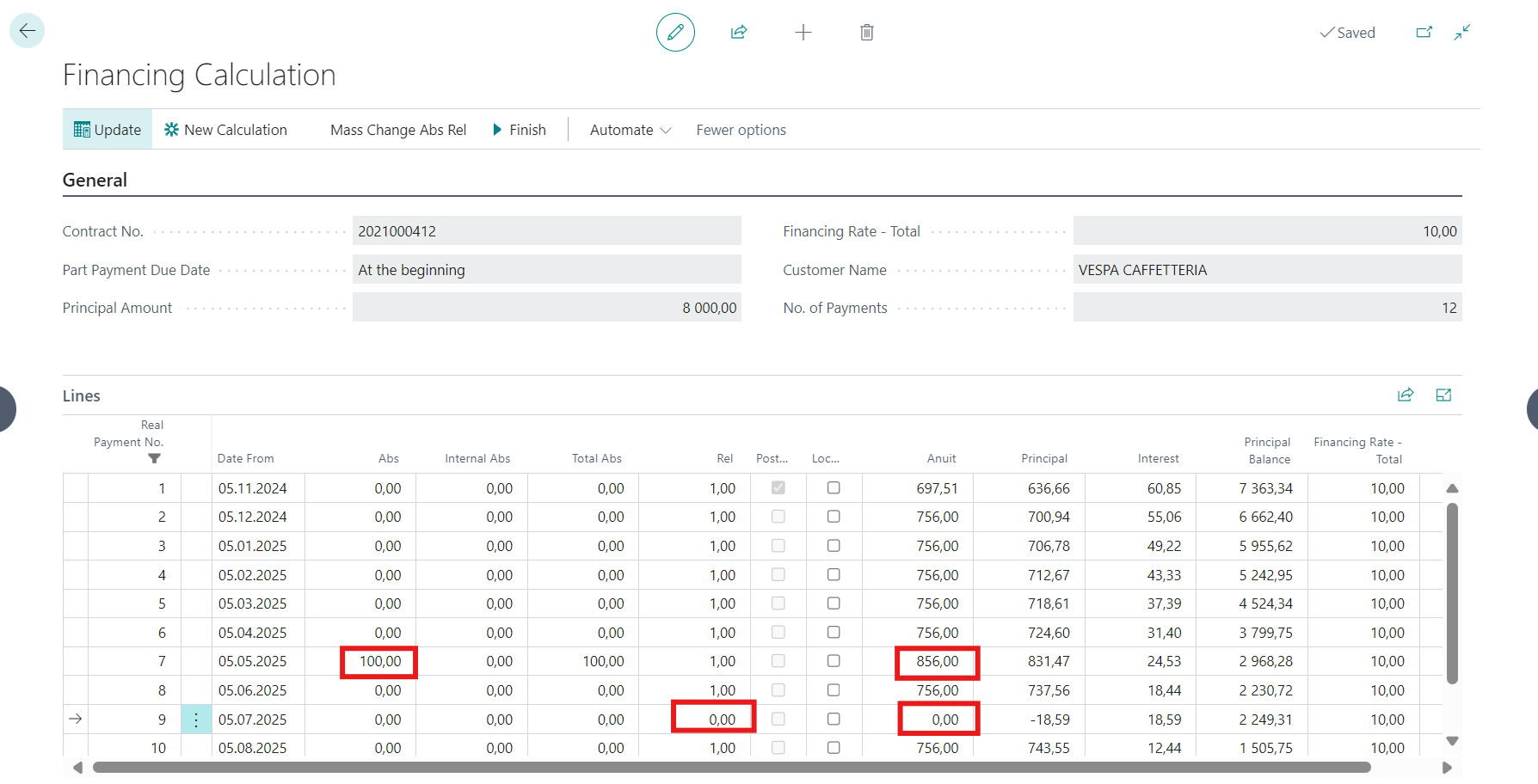
We changed absolute value of 7th line and relative value of 9th line.
-
To see recalculated values we click on Update button.
-
Anuit was increase above the absolute value and relative change to zero updated anuit to zero.
-
To make this change visible in payment calendar we need to confirm changes with Finish button.
-
-
After performing any changes in Lines is sign “Calculation Updated” changed to NO to notify user that calculation must be performed.
-
Specifics of Interest Calculation model
-
Internal Abs
-
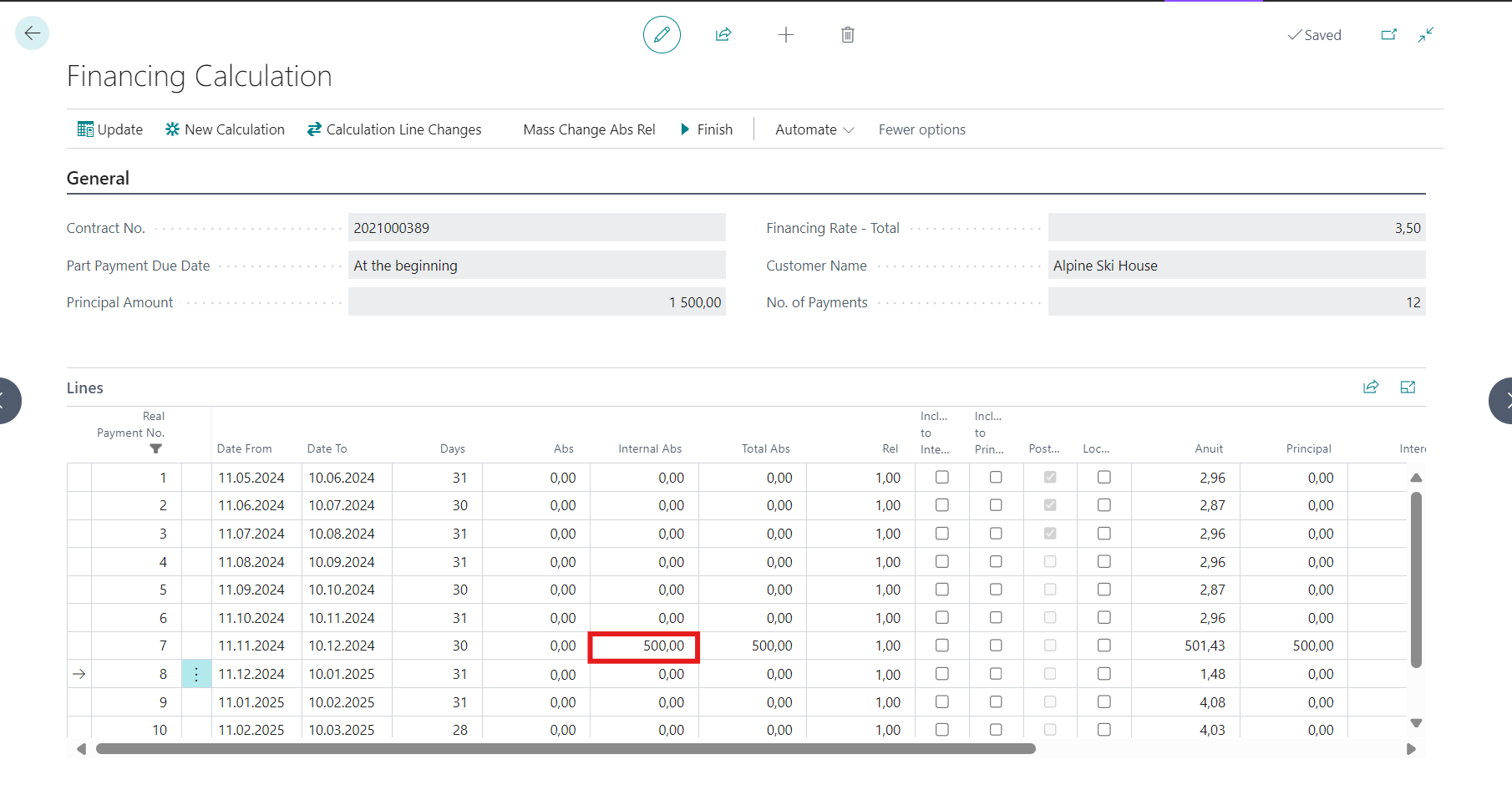
Internal Abs are used when there is an extraordinary payment done in Loans Interest Model.
-
Internal Abs value behaves in the calculator similar as Abs values.
-
The extra payment must be stored in non-editable way in calculator to be consistent with entries in the Financing Changes table.
-
The user still has the option to work with the open absolute value of the installment.
-
Total is then the sum of both values.

-
-
Days
-
No. of days between Date From a Date To are displayed when Daily Interest is ON
-
-
Include to Interest
-
Interest Amount is with this choice moved to Deferred Interest and posted on Deffered Interest account set in OneCore posting setup
-
-
Include to Principal
-
Interest Amount is with this choice moved to Principal Amount with negative sign
-
-
Calculation Line Changes
-
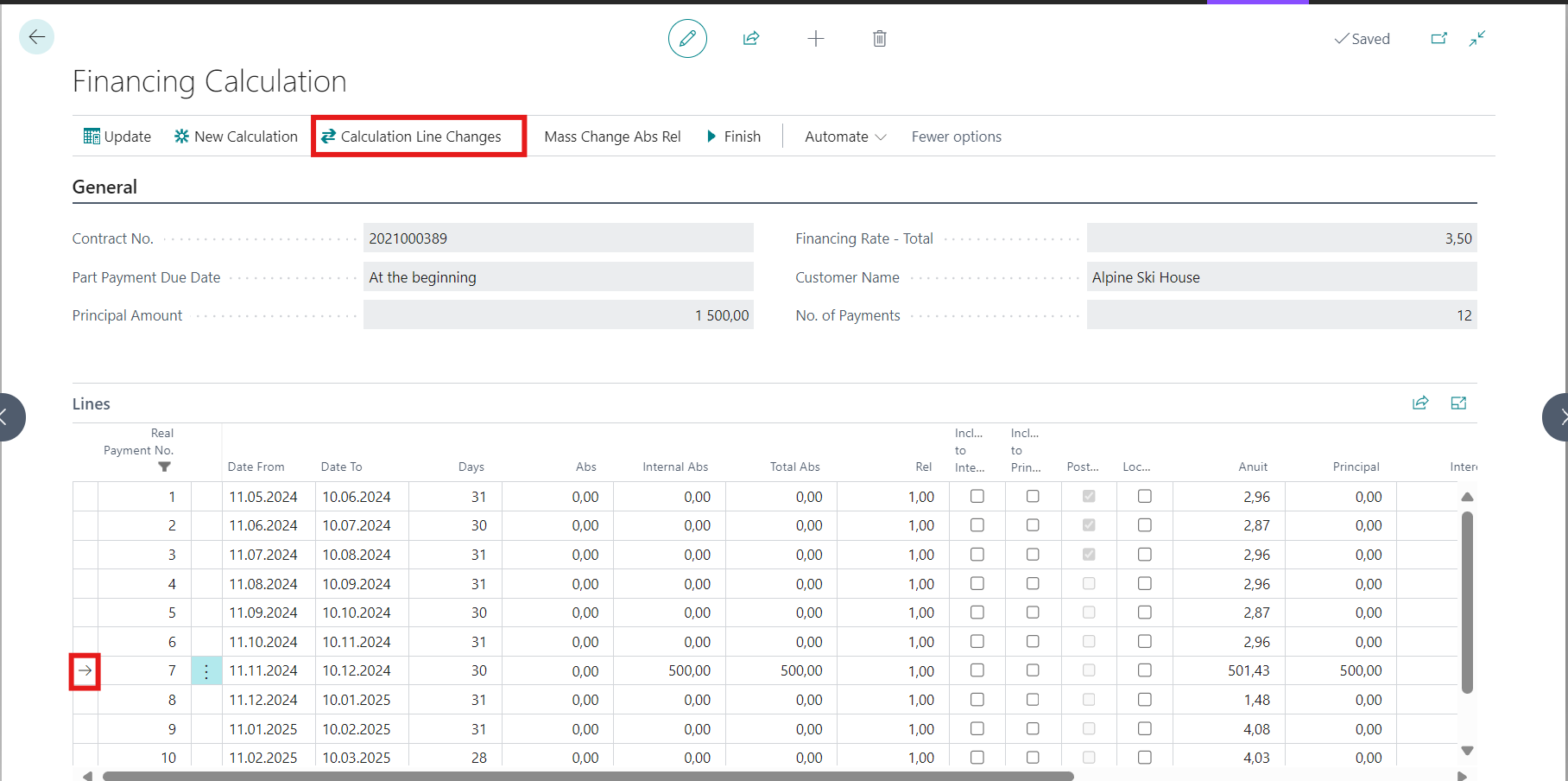
To see financing contract changes can be called function Calculation Line Changes placed in Calculator Lines (selection of particular line is needed)
-
Function is available just for Interest Calculation model
-
Just select certainty row column and click on button Calculation Line Changes
-
-
Financing Contract Changes and Calculation Line Changes functions are available only for interest financing model.You can change absolute and relative values only on unaccounted and unpaid installments.
To personalize your notifications please use function My Notifications.
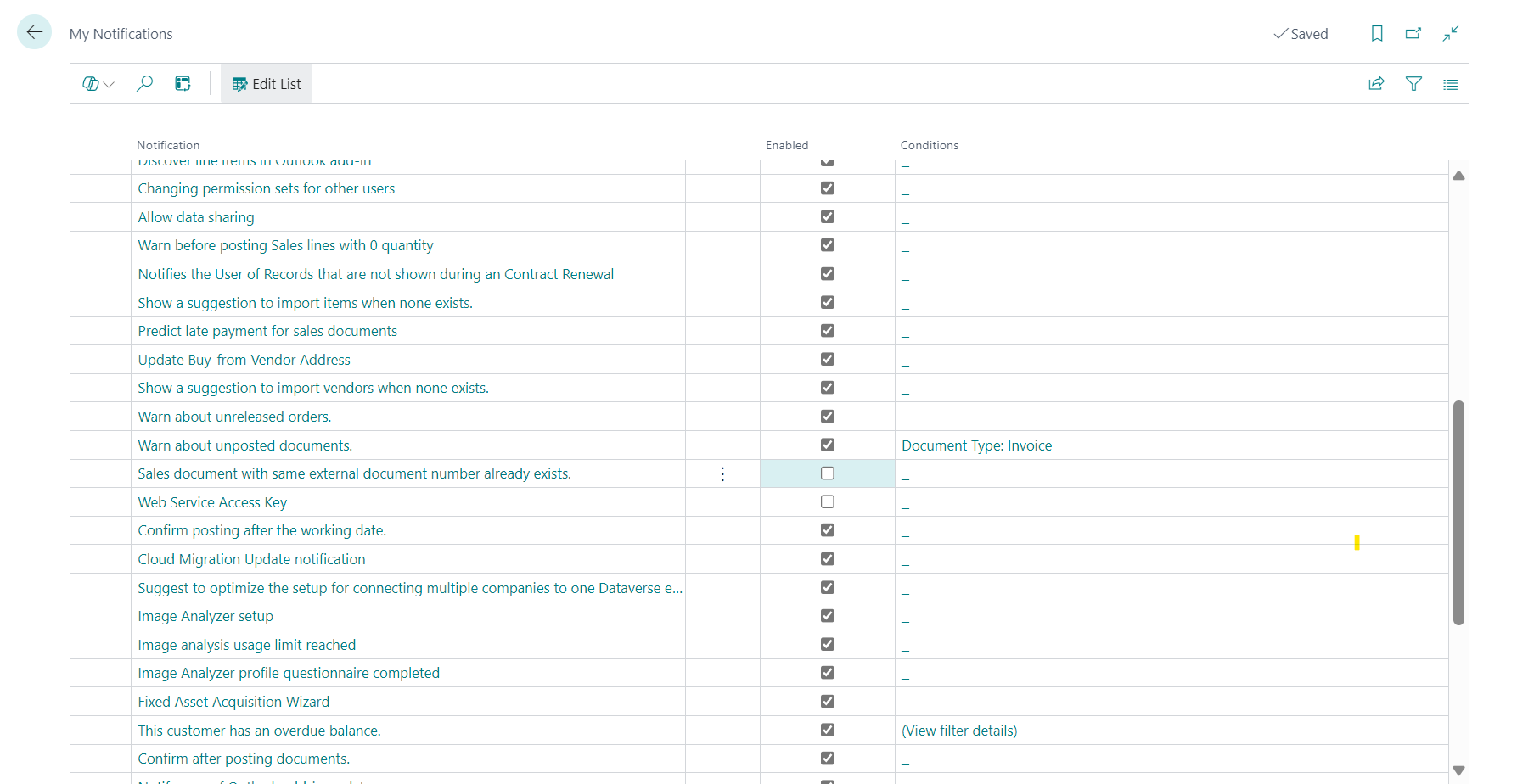
Control on Update and Finish button in Calculator Lines: if Calendar Month = ON, when changing the first installment in the calculator, a message will appear during Update and Finish: “REL part on the first line cannot be 0”.
Follow up:
How to change financing period
How to change principal amount