
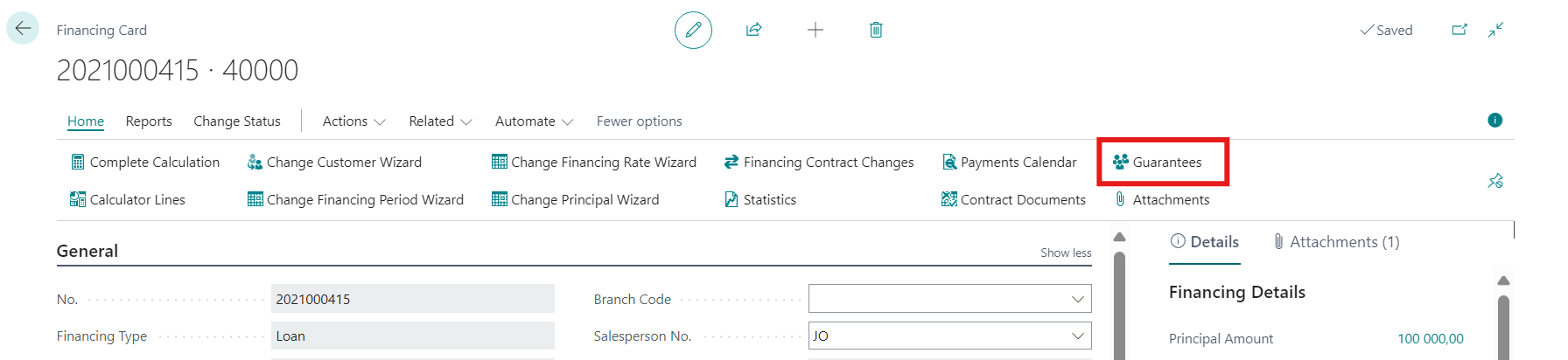
This chapter describes the process of contract guarantee creation. The list of contract guarantees can be found on Financing Card under tab Home/Guarantees.
-
Click on this button to open the Contract Guarantees List.
-
Guarantee can be created using button New.
-
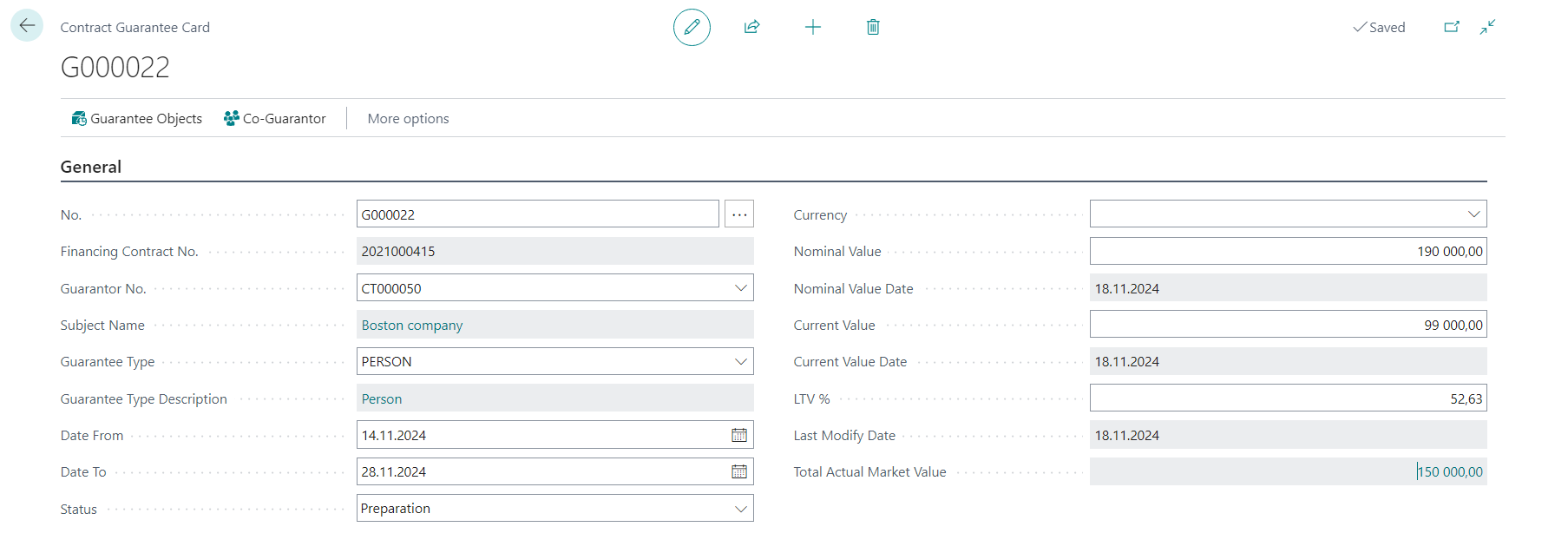
Empty Contract Guarantee Card is opened to add new entry.
Contract Guarantee Card
General
-
No.
-
system automatically fills number if defined in No. Series
-
-
Financing Contract No.
-
Is populated automatically with the actual contract number
-
-
Guarantor No.
-
Guarantor can be selected from List of Contacts
-
-
Subject Name
-
Contact Name
-
-
Guarantee Type
-
Values defined in table Guarantee Types are displayed
-
List can be modified in OneCore Setup
-
-
Guarantee Type Description
-
Date range of validity
-
Status
-
Preparation, Active, Closed
-
Status must be changed manually from Preparation to Active or Closed
-
-
Currency
-
To be filled in case local currency is not used
-
-
Nominal Value
-
Can be manually inserted by user, it is adjusted value of an asset without taking into account deductions and premiums
-
-
Nominal Value Date
-
Workdate
-
-
Current Value
-
Can be manually inserted by user, it is the price at which the asset could be sold or settled as of the current date
-
-
Current Value Date
-
Workdate
-
-
LTV %
-
Calculated as Nominal Value/Principal Amount, can be modified
-
-
Last Modify Date
-
Workdate
-
-
Total Actual Market Value
-
Calculated field, total of Actual Market Values inserted on Contract Guarantee Object Cards
-
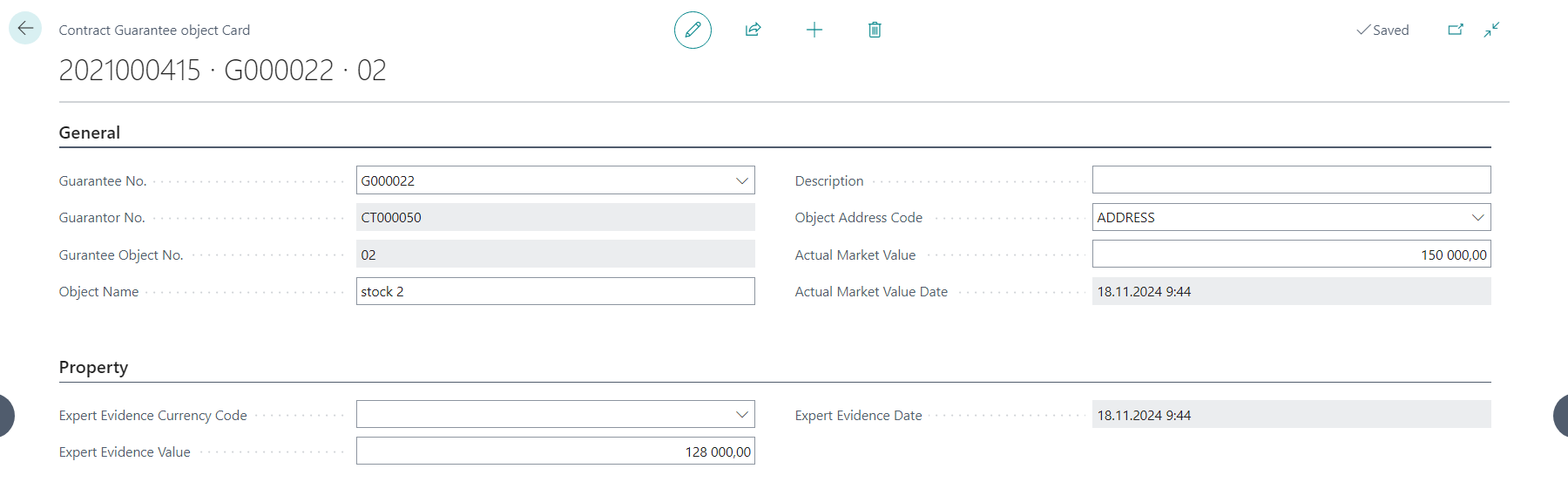
Contract Guarantee Object Card
General
-
Guarantee No.
-
Is filled automatically
-
-
Guarantee Object no.
-
Automatic numbering, increasing by 1 with each new object within the guarantees on particular contract
-
-
Object Name
-
Text field
-
-
Description
-
Text field
-
-
Object Address Code
-
Alternative address code of particular contact
-
-
Actual Market Value
-
Numerical field allowing to insert the actual value of the object
-
Property
-
Expert Evidence Currency
-
Possible to choose currency
-
-
Expert Evidence Value
-
Numerical field
-
-
Expert Evidence Date
-
Current date time
-
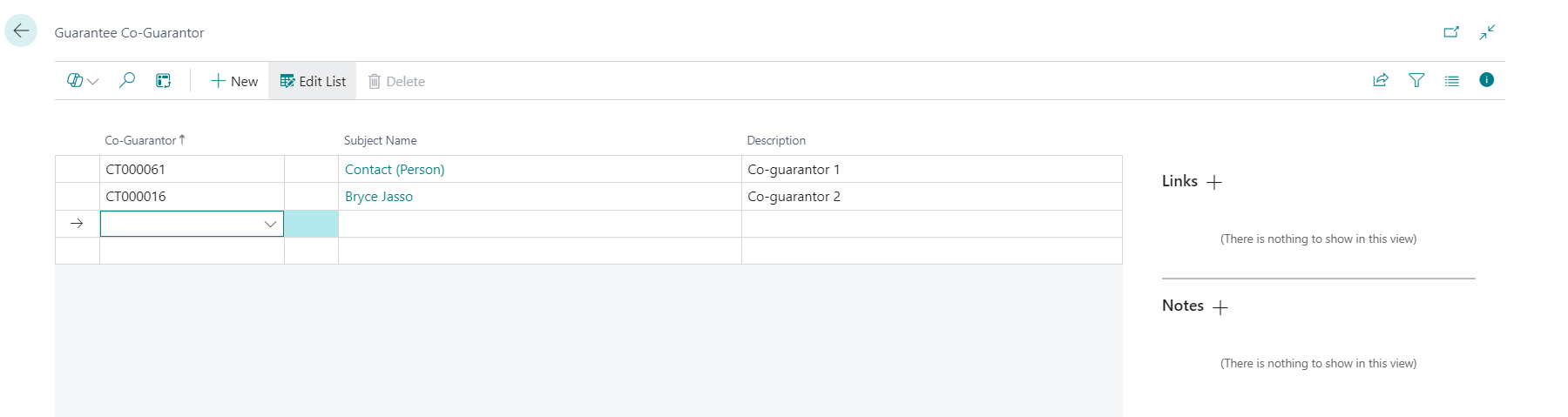
Guarantee Co-Guarantor card
-
Co-Guarantor
-
The list of available contacts
-
-
Subject Name
-
Filled automatically based on selected contact
-
-
Description
-
Text field
-
General information how to use this function:
-
Guarantees is is possible to insert, edit or delete in any contract state.
-
The contract guarantee can be removed using the Remove from the list of contract guarantees or directly from the card of the contract guarantee.
-
Deletion can only be done in Guarantee Status = Preparation.
-
Confirm by choice Yes the record is deleted, including the Guarantee Object and Co-Guarantor cards that were created under the contract guarantee.
-
It is not possible to remove the guarantee in Guarantee Status = Active, in this case, the system will display an error message: “Status must be equal to ‘Preparation’ in Contract Guarantee No. xxx. Current value is 'Active'.