
From the sales invoice card, which has Invoice Print Type = Payment in the field, it is possible to create a posted credit memo for the entire sales invoice via the button:
Startup Create Mass Credit Memo for Payments buttons Create Mass Credit Memo for Installments:
-
The system displays a message
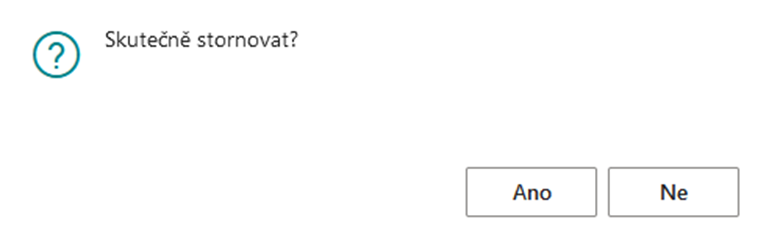
After voting YES, it continues
-
Displays a dialog box where the user can change the Posting Date and VAT Date
After the election OK
-
The system will check whether the mass invoice has not already been partially credited:
-
If not, it goes on and creates a credit note for the total mass invoice for the payments.
-
If yes, it displays the system message and terminates the task.
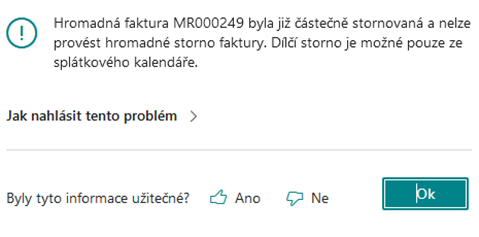
-
-
Checks the settings in the Tab. Contract with Service Setup, Do Not Post Credit Memo from Payment Calendar field:
-
if it´s yes – the system creates an unposted mass credit memo with the flag For mass credit memo for payments YES
-
it will not be possible to delete the document from the list, nor from the document card, nor via the Delete button
-
Sales Line (37) will be non-editable
-
The user has the option to manually post a credit memo with the flag "For mass credit memo for installments" YES via the Post button on the unposted credit memo card.
-
It then manually generates the attachments and sends them.
-
In the payment schedule system:
-
deletes the multiple invoice number from the payment calendar.
-
Canceled YES field
-
new field "Unposted Credit Memo" YES
-
the Posted field will be NO
-
-
-
if it´s NO – the system displays the following system message: Include credit memo in mass credit memo? YES/NO
-
if the user chooses NO
-
The system will create a posted credit memo for the entire invoice, which will contain:
-
new field Mass Credit Memo for Installments/ENG Credit Memo For Billing = NIE Number
-
Invoice Print Type (4026715) Payment
-
deletes the mass invoice number from the payment calendar, marks the payment field line: Canceled=YES, Posted = NO
-
Subsequently, the user manually generates attachments to the credit note, using the E-mail button to send it
-
-
If the user chooses YES – it creates an unposted credit memo that is pending further processing.
-
-