
Creation of PC, CC, RS line is described in Změny smlouvy .
To post a credit memo from a payment calendar (PC, CC line, negative RS line), the user starts the "Post" function (the same initial checks as in the chapter Individual invoicing of payments) if:
-
for RS line detailed contract status has enabled posting from payment calc
-
For CC and PC, the Detailed Contract Status line is allowed to post partial credit or posting from payment calendar, or to run the Batch Posting Payments Posting Financing with Services.
When you fill credit memo lines, the system takes over the posting from the OneCore Posting Setup.
On PC, CC lines, it searches in the Service Payment Line according to Financing Part Payment No. Services (active and terminated) that are to be credited.
After manually starting the function, the system checks in Tab. To set up a Contract with Service value in the Do Not Post Credit Memo from Payment Calendar field:
-
If YES
-
A message will be displayed
-
after the YES vote
-
When creating an unposted credit memo when filling credit memo lines, the system takes over the posting from the OneCore Posting Setup.
-
creates an unposted credit memo with flag For mass credit memo for payments YES
-
The system fills the number sequence for an unposted credit memo from the Sales and Receivables Setup from the Credit Memo No. field
-
when PC, CC line, fills in the credit memo lines with the number of the original invoice
-
-
In the payment schedule:
-
fills in the unposted credit memo number (the document number is informative, it is not possible to open the unposted credit memo card)
-
-
Ticks the box:
-
Billed YES
-
Unposted Credit Memo YES
-
-
-
-
If NO
-
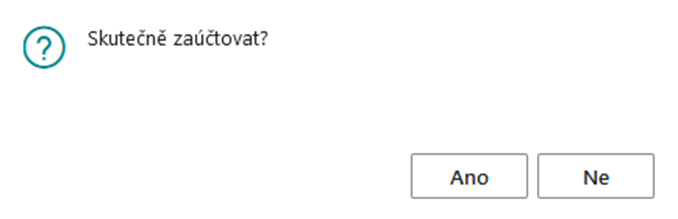
The user is asked: Do you really post?
If they choose YES, the system posts the credit memo. The system adopts the document number series from the settings to the contract models.
-
Cancel Posted PC, RS Line
After posting a line (individual or mass posted credit memo), the system fills in the document number. The row can be cancelled by clicking the Cancel button.
If the User runs it, the credit memo is full of the credit memo, i.e. the system issues an invoice for the entire value of the individual or collective credit memo. If it is a mass credit memo, then the system marks Canceled=Yes in all payment order lines that were included in the mass credit memo and deletes the document number. If the credit memo is not paid (it is open), the system will match the invoice to the credit memo (does not apply to mass credit memo).
SK localization:
-
If the row where the original document was an individual credit note is cancelled, i.e. the value of the "Amount" field is < 0 on the line in the GA, or the line was included in the mass credit memo, then the resulting amount of the unposted mass credit memo was less than 0
-
then after the cancellation of this document, an invoice is created for the SK localization, on which the VAT posting group remains the same as on the canceled credit memo both in the header and in the lines. For SK legislation, it is necessary to distinguish a corrective document for a VAT statement. However, if it is a "repair fix", then the posting groups do not change here.
-
The resulting invoice is also marked as a "Debit note" in BC. This field is YES.
-
Mass Task Post Credit Memo for Payments API Post Billing Credit Memos (4046894)
When the task starts, the system displays a dialog box:
-
Posting Date
-
The system will fulfill the Work Date, the user can change it.
-
-
VAT Date
-
The system will fulfill the Work Date, the user can change it.
-
You can then filter for unposted credit memos based on the standard document header fields.
After confirmation OK system:
-
Goes through the List of Unposted Credit Memos (Sales Credit Memos (9302, Sheet)
-
Document filter:
-
For Mass Credit Memo on Payments
API For Mass Paym. Credit Memo (4026720) =YES -
Invoice Print Type (4026715)=Payment
-
-
In the background, the system creates a credit memo header by customer and currency
-
It then groups the unposted credit memo lines according to the settings on the customer card, field
Payments Billing Method(as in the case of a mass invoice for installments) and according to the currency of the document -
Behind the scenes, the system creates an unposted credit memo. It then finds the total amount with VAT of this credit memo. If the credit memo is negative, then the system flips this credit note into a debit note, then fills in the relevant fields in the same way as for a credit note and uses the number series for credit notes.
-
Subsequently, this document is posted in the background and creates a posted credit note/debit note.
-
In the header of the unposted credit memo/debit note, the system fills in the number from the Contract with Service Setup from the Mass Payment Credit Memo Numbers field
-
In the header of the posted credit memo/debit note, the system fills in the number from the Contract with Service Setup from the field Numbers of Posted Mass Credit Memos for Payments
-
Document Date = Work Date
-
Posting Date = from the window when the job starts from the Posting Date field
-
VAT Date = from the window when running the task from the VAT Date field
-
Due Date = by set grouping – Customer Card, pole Payments Billing Method, ak bude hodnoty:
-
Separatly for Contract, Collective for Contract – Due Date = Document Date + API Financing Contract Header (4026397), Payment Terms Code field
-
Collectively for Framework Agreement = Document Date + API Master Agreement (4026497), Payment Terms Code field
-
If the framework agreement number is not filled in, it calculates Document Date + Customer (18), Financing Payment Terms Code (as in the mass task for actual payments)
-
-
all other values – Document Date + Customer (18), Financing Payment Terms Code (as in the mass task for actual payments)
-
-
Document Status = Complete
-
Mass Invoice (4026710) = YES, at the same time filling tab. Cust. Ledger Entry (21), API Mass Invoice (4026700)
The numbers of the original invoices are copied to the credit memo lines if it is a cancellation from the payment calendar
-
Contract Code is filled in:
-
If Customer Card grouping is set, the Payments Billing Method field:
-
Separatly for Contract, Collective for Contract = contract number
-
other values = API Contract with Serv. Setup (4026620), Contract Dimension Value field
-
-
-
Invoice Print Type = Payment
-
-
runs the function under the Create Attachment button, i.e. creates attachments:
-
Posted Credit Memo PDF – Assigns Attachment Type Sales Credit Memo
-
structured attachments according to the customer's settings in Cust. Inv. Sending Methods for Invoicing Type Payment, Document Type Credit Memo – assigns Attachment Type: External Sales Cr. Memo Attachment
-
-
then according to the settings on the customer in Cust. Inv. Sending Methods, ak je nastavení v Email YES – triggers the Create Email function
-
Sender set Contact Jobresponsiibility Invoicing Printout Setup (79253)
-
Invoicing Printout Setup (79253), Invoicing Type Payment, Document Type Credit Memo, Email Body Layout Code, E-mail Subject
-
attaches attachments in the Attachmente document Attachment Type: Sales Credit Memo (first found record), External Sales Cr. Memo Attachment (all found records)
-
Sends mail
-
-
On the header of the credit memo, in the Sending Status – Email field, writes the value:
-
Not Sent – Not used for credit memos. Document Status is always Complete
-
Not Sent Error – failed to create an attachment or send an email
-
Sent – the email will be sent.
-
-
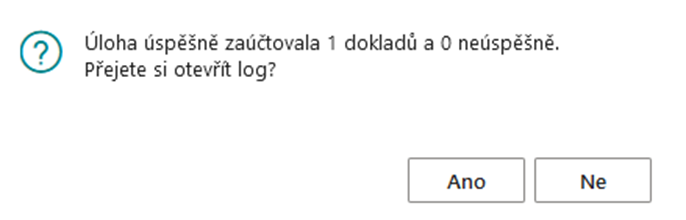
When the task is completed, it displays a message to the user
-
In the Posting Log, the system writes the success/failure of posting, sending
-
In the payment calendar
-
Writes down the number of the posted document
-
Unposted Credit Memo = NO
-