
User registration in OC and login
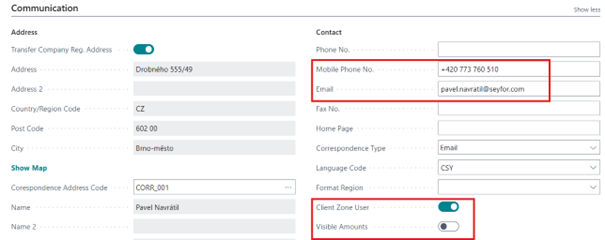
In Business Central (BC), users of the Client Zone (CI) are listed as a contact of the person type in the Contact code list.
On the contact card, Client Zone User = "Yes" must be selected to access the client zone. At the same time, I have to add an email by which the user identifies himself in the CG and also a phone number for possible two-factor authentication using a phone number.
A user created in this way is already registered in the client zone, but it is not active. It becomes active when they log in to the client zone website and create a password.
The login page authenticates the user using email. If it does not recognize the entered email, it will not allow the user to register. Registration is completed by sending a verification email to the specified address.
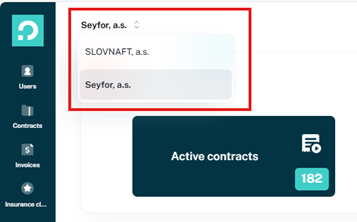
It is also possible to send an invitation to an inactive user from the client zone. The user is selected in the list of users and the Send invitation button in the upper right corner sends an email to the user's email with a link to the CG.

If the user is a contact in more than one company, but with the same email, then it is possible to select only the company under which the user wants to work after logging in, there is no need for further logout/login.
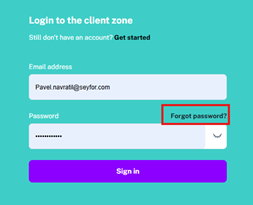
It is also possible to reset the password on the login page of the CG if you forget it.
User Role
To work in the client zone, the user must be assigned a role and its parameters, which are defined in BC in the Job Responsibilities table and the user is assigned in the Contact Job Responsibilities table.
Roles can also be assigned to a user directly in the client zone. In the table, you can set a flag that roles are not displayed in the client zone, such as a role with the "Super Admin" flag, which has full access to all companies and users.
The following parameters can be selected for roles:
-
Client Zone User Admin
-
Has access to all contracts and client settings. Can create and manage KZ users. It can also run all active elements (creation user, role change, mileage entry, insurance claim entry)
-
-
Basic Contract Information
-
The user is shown only basic information about the contracts
-
-
Extended Contract Information
-
The user is able to see all the information about the contract
-
-
Invoicing Information
-
The user can view billing and download invoices
-
-
Super Admin
-
The user gets to all contracts for all companies and all settings. This parameter is intended for portal administration and only needs to be assigned to employees of the leasing company.
-
-
Display In Client Zone
-
Flag that specifies which specific Job Responsibility can be assigned(seen) by an authorized CG user.
-
In addition, the Job Responsibilities table contains a subtable of Job Respons. Permission (75001), which defines the attachment types that are displayed in the CG of the role.
Other OC settings
In the OC in the Client Zone Setup table (75000), additional parameters for the CG are set.
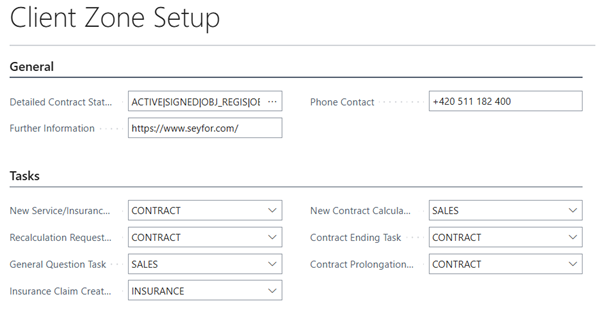
General Tab
-
Detail Contract Status
-
sets the detailed statuses of the financing contract, in which the contract will be displayed in the CG of the relevant overviews and details.
-
-
Further Information
-
it is displayed in the contract details in the CG
-
-
Phone Contact
-
it is displayed in the contract details in the CG
-
Tasks Tab
On this tab, you can set up prepared groups of task users. According to the settings, tasks sent from the CG are then created in BC.