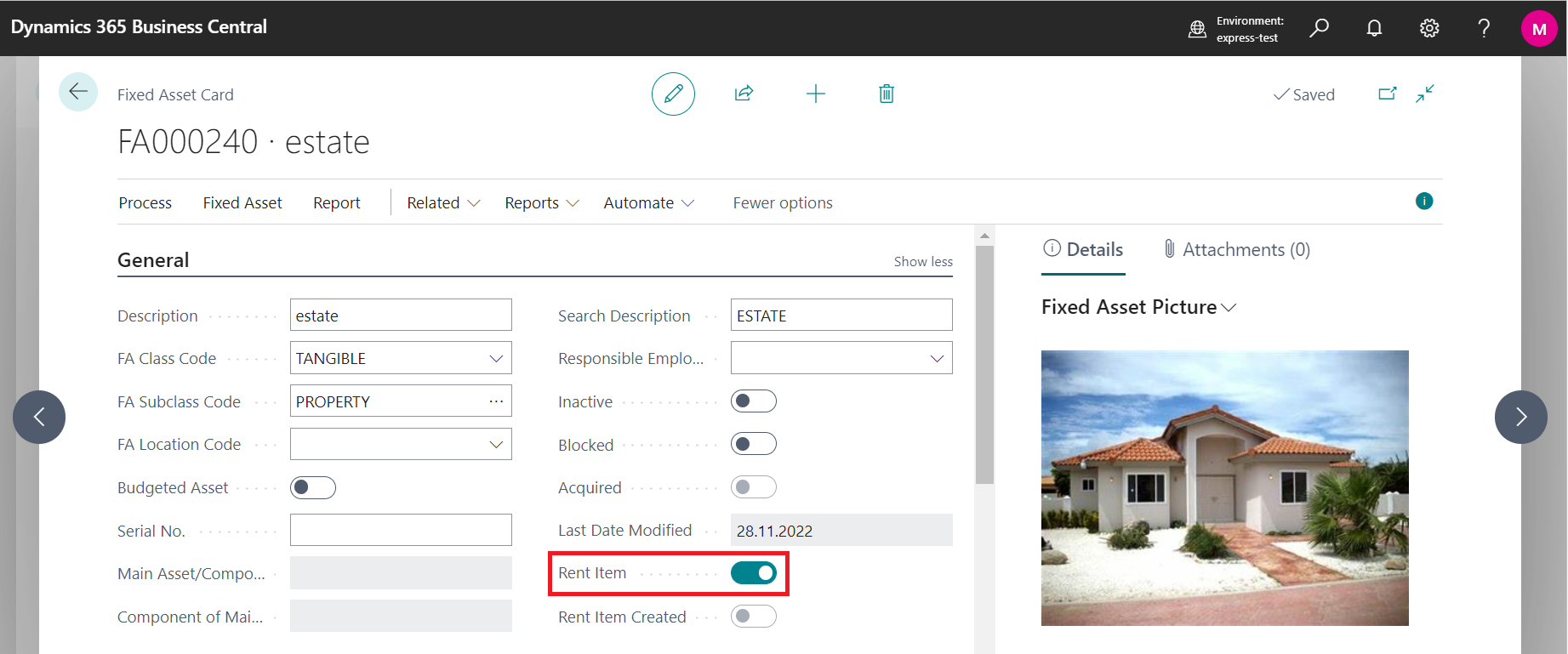
In Rental App is possible to add Fixed Item as a rent item, which represents long-term assets. For creating new one, go to search and enter Fixed assets. It is possible to find information about standard fields on Microsoft Learn Create a fixed asset - Finance | Dynamics 365 | Microsoft Learn (without guarantee)
On the Fixed Asset Card is possible to enter basic information about Fixed Asset, as General information, Depreciation Book, Maintenance and Electronic Document.
Fields related to OC Rental App
-
To have available fixed asset for rent change boolean Rent Item to YES.
-
In case when Rent Item Created is turned on, it means that rent item is already created from this fixed asset.