
In Loans and Financial Leasing App is possible to change Active Contract into status Closing via automatic process called Proper Contract Termination.
Function Description
-
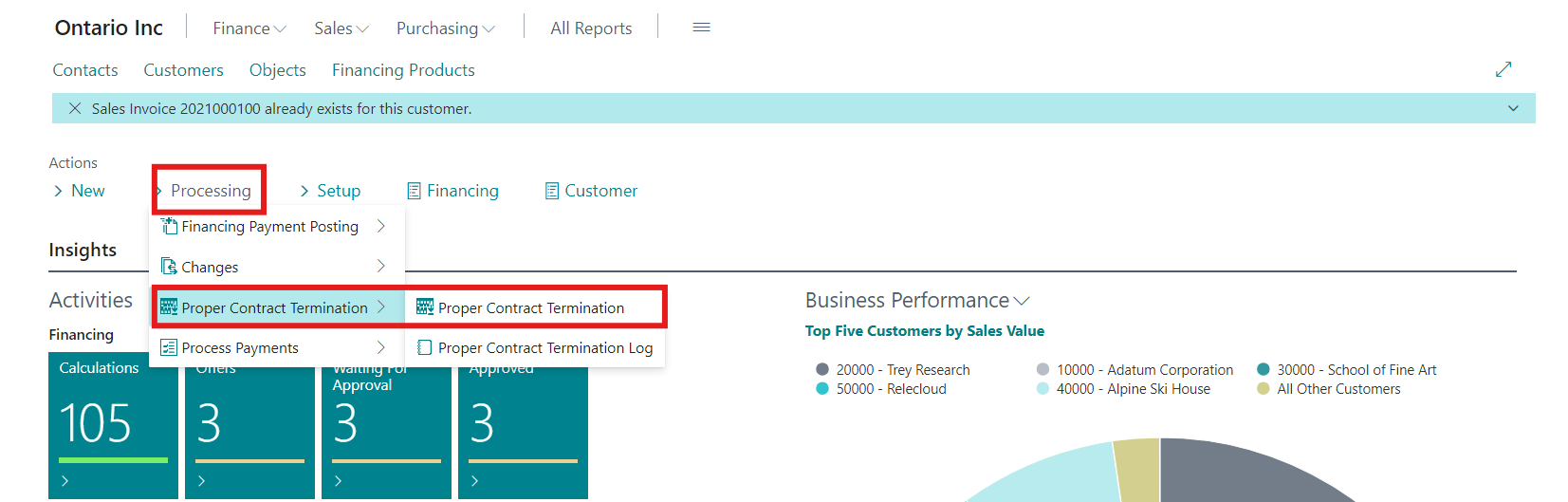
For this purpose is available function in Role Centrum/Processing/Proper Contract Termination.
-
Triggering this function searches all active contracts, where Expected Termination Date <= Work date reduced by the number of days set in field No. of Days Before Contract Termination (OneCore Setup/Closing).
-
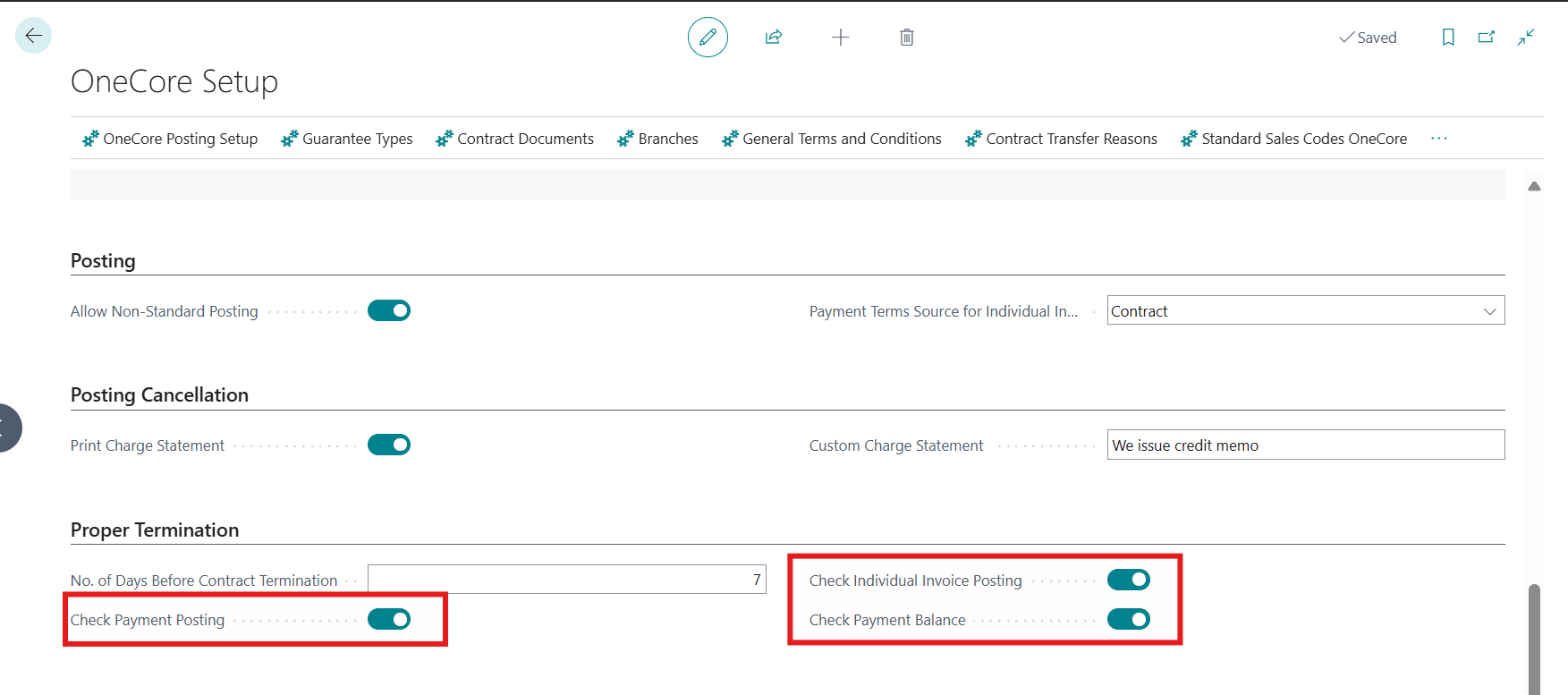
Additionally, there is possible to enable (disabled by default) controls in OneCore Setup/Proper Termination:
-
Check Payment Posting
-
If this control is enabled, the system reviews if all payments in particular contract (residual value line is skipped) are posted.
-
Otherwise, Error Detail in Log (see below) appears: “Non-posted lines on contract (Payment).”
-
-
Check Individual Invoice Posting
-
If this control is enabled, the system reviews if exists an individual invoice/credit note withing the contract.
-
If yes, it is checked whether its posted. If no, Error Detail in Log appears: “There is at least one unposted individual invoice.”
-
-
Check Payment Balance
-
If this control is enabled, the system reviews if all posted invoices (payments, individual invoices/credit notes, residual values) are paid (Payment Balance = 0).
-
If no, Error Detail in Log appears: “Payment balance of posted documents is not zero.”
-
-
-
Result of these controls is saved in Proper Contract Termination Log.
-
Log can be found in Role Centrum/Processing/Proper Contract Termination, where is stored list of all contracts which has been checked by this process ordered by Entry No.
-
In case status was successfully changed to Closing, result is Success and Error Detail is empty.
-
On the other hand, if some control prevented the status change, user can see the reason in Error Detail.
-
Direct link to Financing Card is available via Contract no.
-
From Closing state can be contract manually Archived (Financing Card/Change Status/Archive).