
Sometimes arises a situation that during the rental period you want to exchange the goods for another one. In Rental App you can do it in the app with a few clicks!
Let's take an example:
You rented desk and chair for 5 days, but after 3 days you want to change the chair for another one.
-
Step no. 1
-
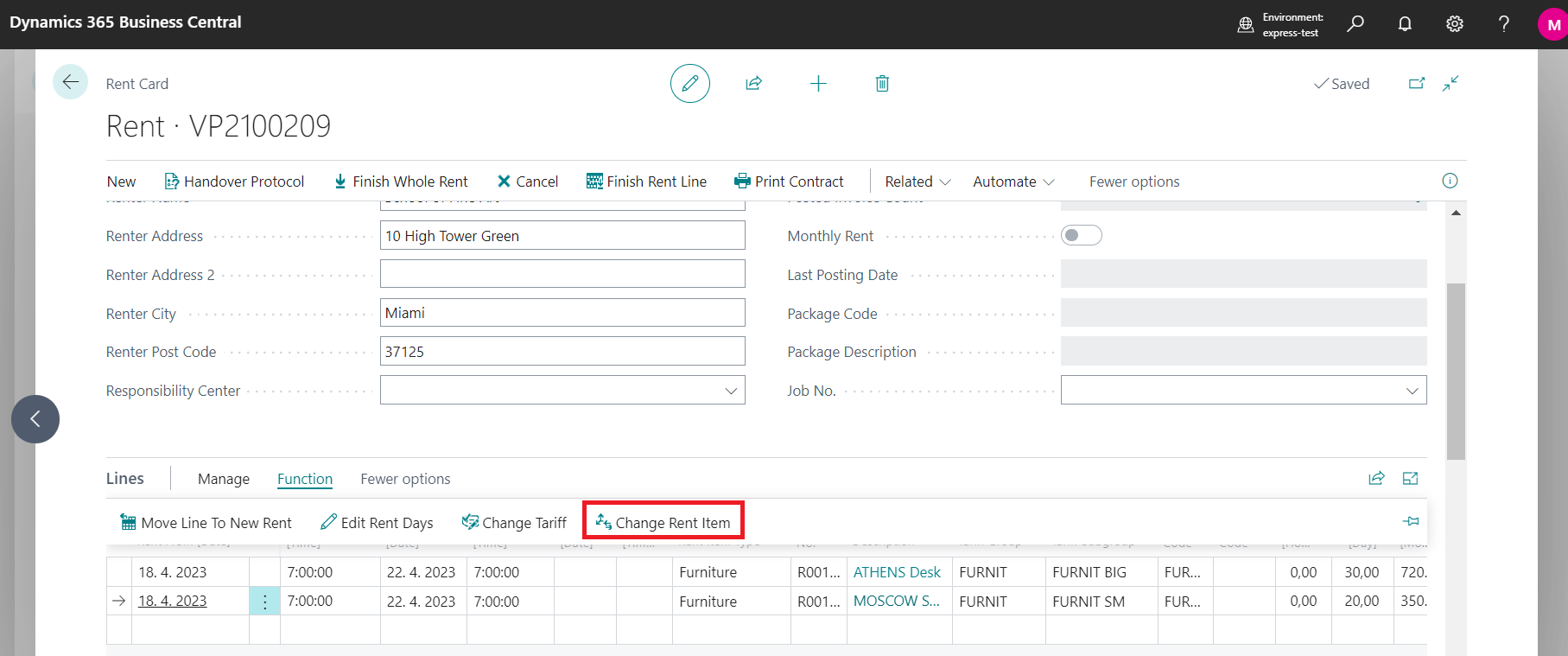
Stand in line for the item you want to exchange and click on button Change Rent Item.
-
-
Step no. 2
-
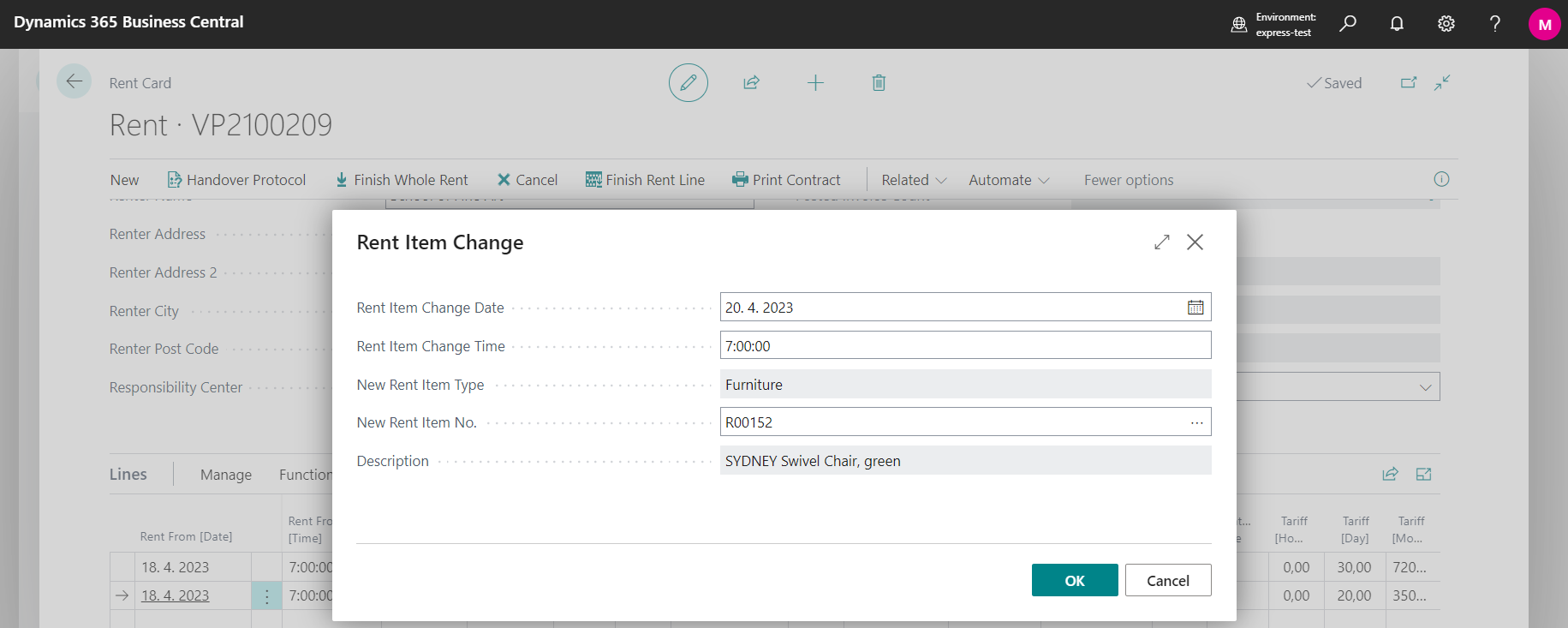
In the displayed table, then fill in the Date and Time when you want to exchange the given item, and choose New Item No.
-
-
Step no. 3
-
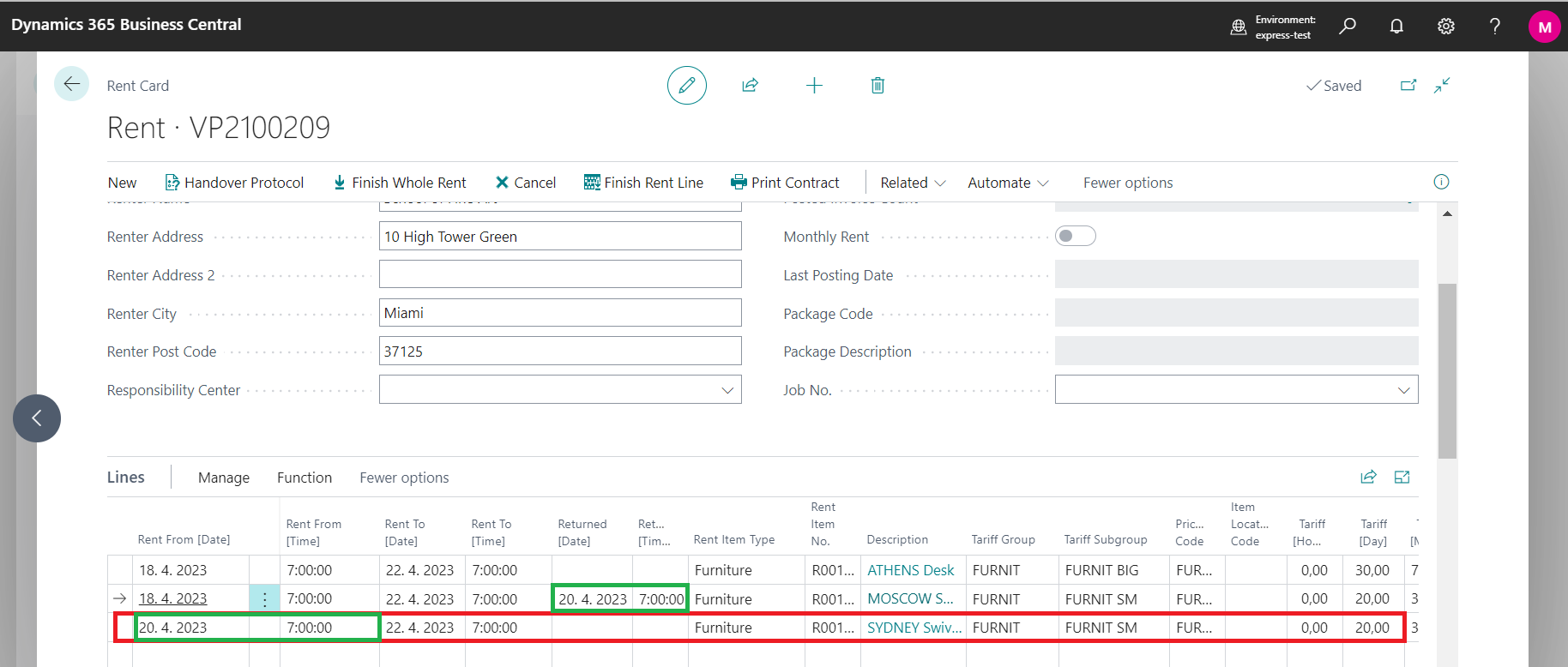
Subsequently, a new item is added to the list of rented items.
-
Note:
As you can see in the image above, the old item's return date and time is the new item's pickup date and time.
Follow up:
How to do basic setup of OneCore Rental App