
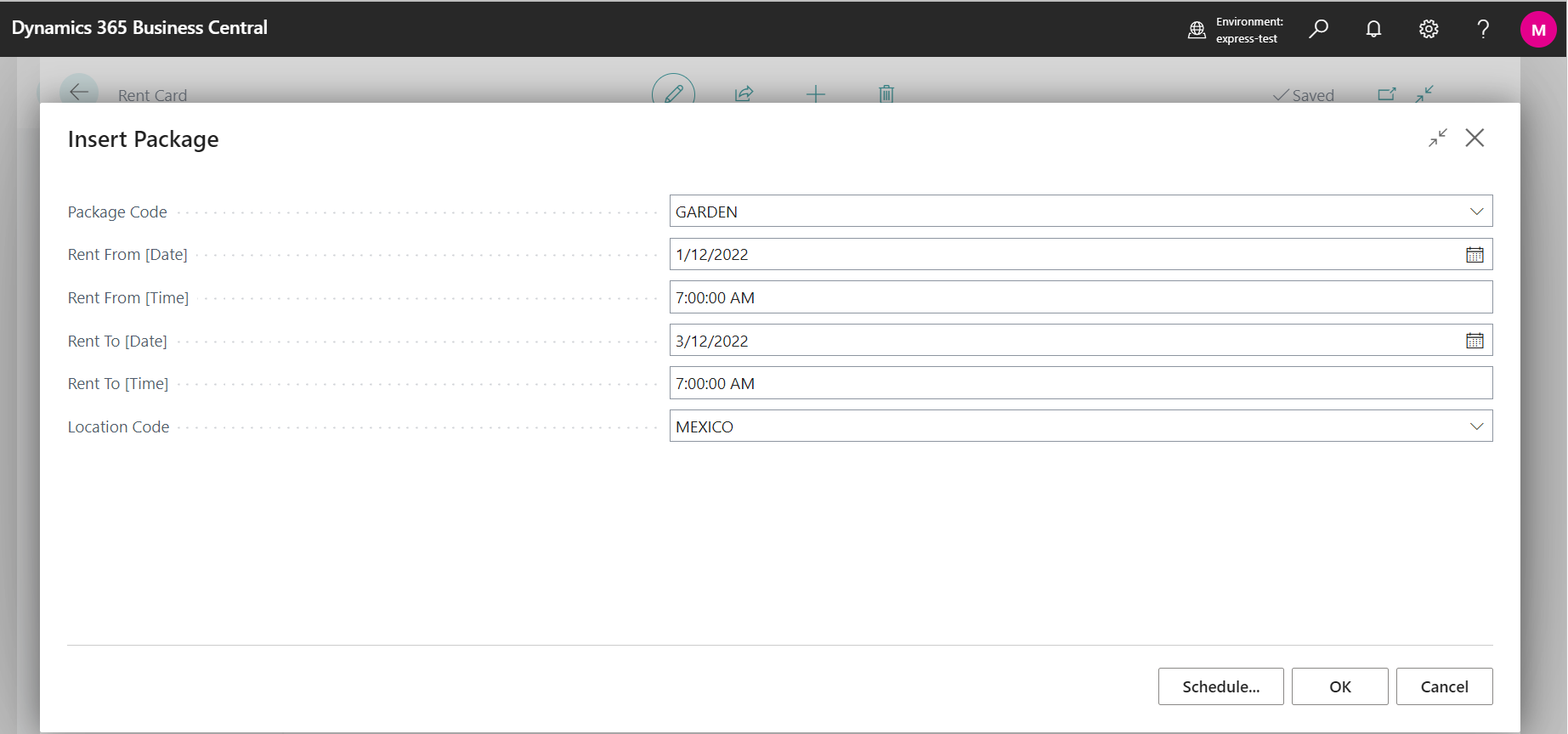
The process of creating Rent which includes package is similar as creation of regular rental. The difference is that during creation of new rent you have to Insert Package through button, see picture below.

Window where is possible to enter the basic information about package, in this case e. g. package named Garden, is displayed.
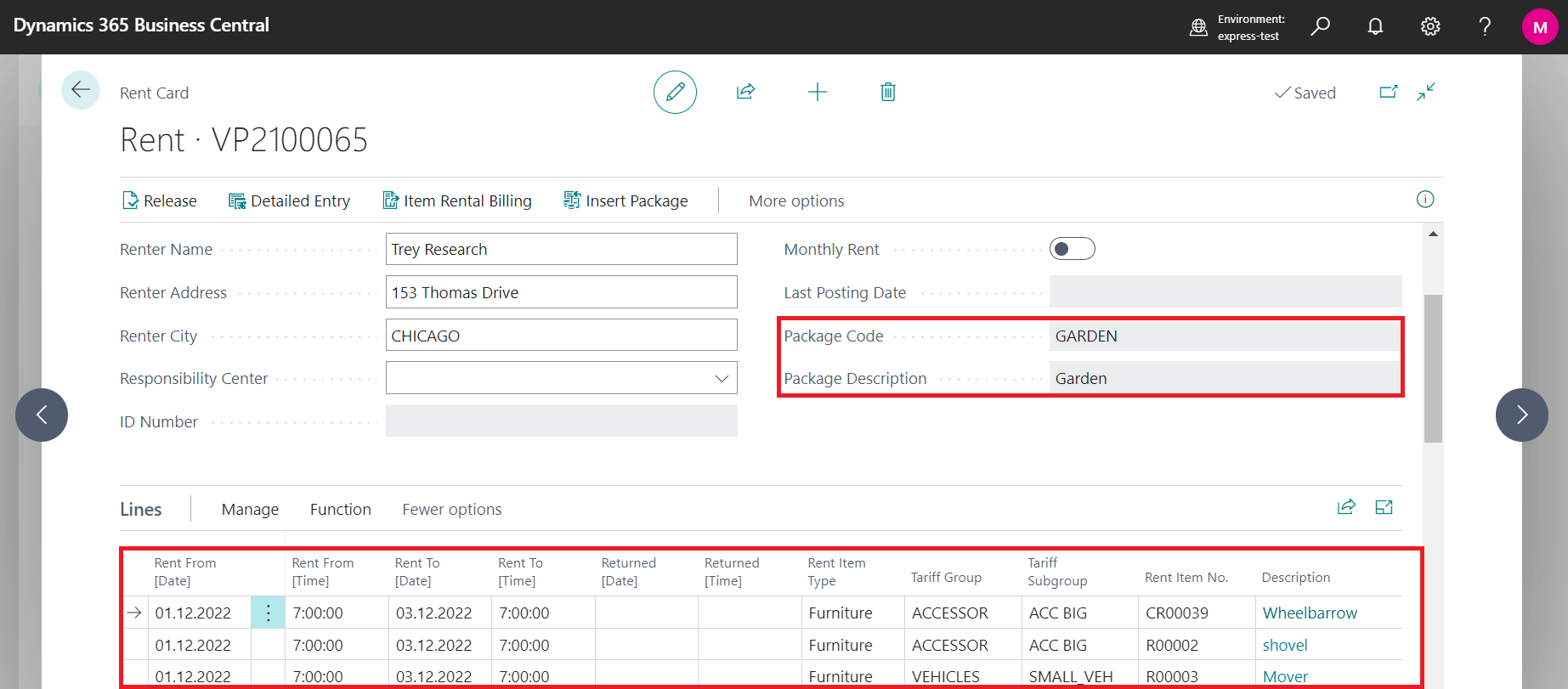
After previous step you will see Rent Card and individual package items are inserted into Lines automatically.
Then the process of rent is the same as creating non package items rent - see How to create Rent - Workflow.