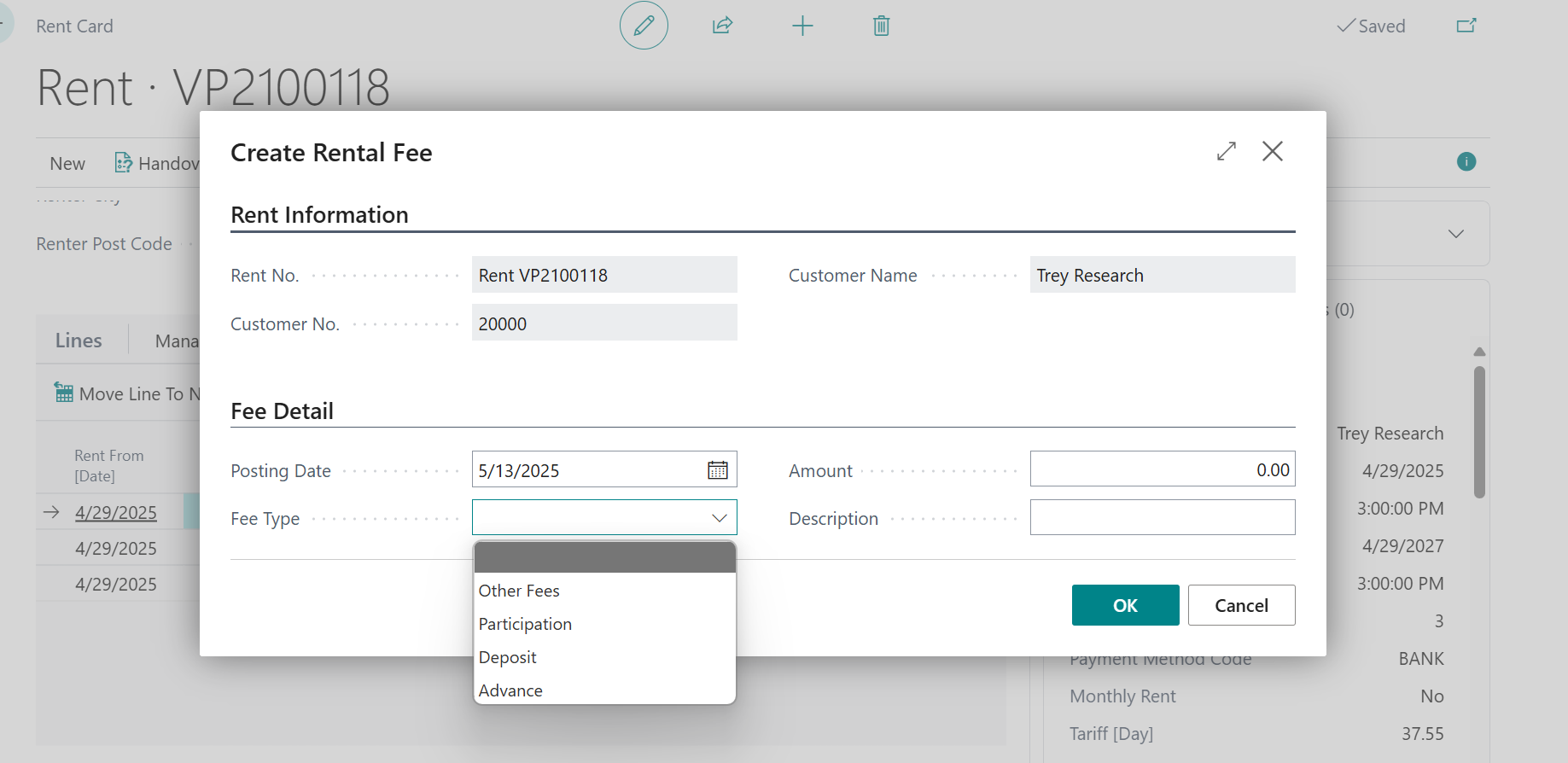
Posting setup defines how transactions are recorded in the general ledger. Based on combination of Gen.Bus Posting Group a Gen.Prod. Posting Group is automated the process of assigning the correct general ledger account specified for Rent, Discount, Billed Units, Participation, Other Fees, Deposit and Advance.
Columns:
-
General Business Posting Group
-
This posting group is used to classify a business entity (like a customer or vendor) based on the type of business transactions they are involved in.
-
It can be setup per Tariff Group which will be assigned particular Rent Item on Rent Item Card under fast tab Rent Item
-
It helps to determine which general ledger accounts are used when posting entries related to business activities.
-
For example, this could define different groups for different location of customers or suppliers (like "Domestic" or "Export").
-
-
General Product Posting Group
-
Specifies the Item’s or Fixed Asset’s product type to link transactions made for this item with the appropriate general ledger account according to the general posting setup.
-
It can be setup per Tariff Group which will be assigned particular Rent Item on Rent Item Card under fast tab Rent Item
-
Based on combination of General Business Posting Group and General Product Posting Group system assigns the appropriate accounts
-
Rent
-
Costs for rental
-
Automatically invoiced with rent invoice
-
-
Discount
-
Can be set for Packages, discounts cannot be manually entered in rent lines
-
Automatically invoiced with rent invoice
-
-
Billed Units
-
Additional units billed to rental calculated as a difference between Units Count Begging and Units Count End (with deduction of free units)
-
Automatically invoiced with rent invoice
-
-
Participation
-
Can be created via New/Create Fee/Fee Type
-
Can be created after releasing rent
-
Separate invoice is created for Participation Fee
-
-
Other Fees
-
Can be created via New/Create Fee/Fee Type
-
Can be created after releasing
-
Separate invoice is created for Other Fees
-
-
Deposit
-
Can be created via New/Create Fee/Fee Type
-
Can be created after releasing rent
-
Separate invoice is created for Deposit
-
-
Advance
-
Can be created via New/Create Fee/Fee Type
-
Can be created after releasing rent
-
Separate invoice is created for Advance
-